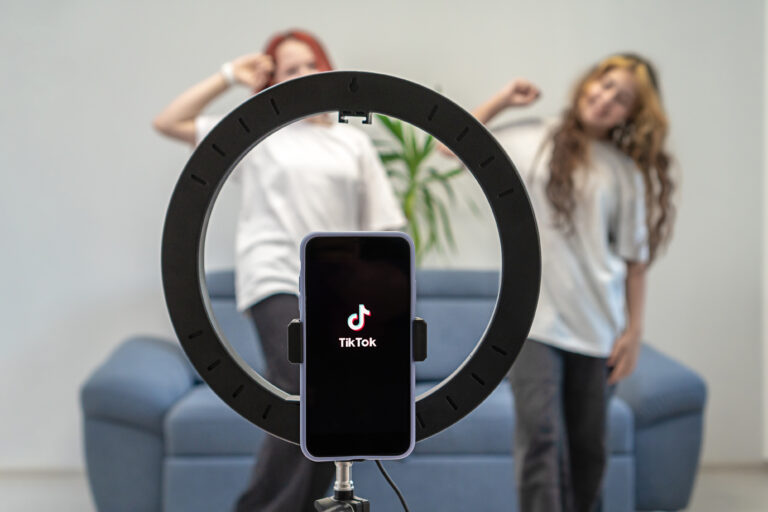
A TikTok video downloader is a tool that lets you save a TikTok video to your phone or computer so you can watch it later without opening the app. That simple idea covers a lot of ground: some people want a clean copy without the TikTok watermark, others want the audio as an MP3, and others want to save a story before it disappears. This guide is the hub for all of it. It explains what a TikTok video downloader is, how the different methods work, when to use each one, and what to watch out for on safety, quality, and copyright. Where a topic needs a full step-by-step guide of its own, we link to it, so you can go straight to the method that fits your device.
If you only need one thing right now, start here: most videos can be saved in under a minute with a free online downloader. Copy the video link in TikTok, paste it into a downloader, and choose the no-watermark or standard version. The rest of this guide helps you do that well, avoid the shady tools, and get the best quality file for what you actually want to do with it.
What Is a TikTok Video Downloader?
A TikTok video downloader is any website, app, browser extension, or desktop program that takes a TikTok video link and turns it into a downloadable file, usually an MP4 video. TikTok itself lets you save many videos, but the built-in save button adds a watermark with the TikTok logo and the creator’s username, and some creators turn downloads off entirely. A downloader works around those limits: it fetches the video file from TikTok’s servers and gives you a copy you can keep, share offline, or edit.
Downloaders come in four main forms. Online downloaders are websites you open in a browser, paste a link into, and download from, with nothing to install. Mobile apps are installed from an app store and often add a share-sheet shortcut, so you can send a video straight from TikTok to the app. Browser extensions add a download button to TikTok pages on a computer. Desktop programs are installed on Windows or Mac and are best for downloading many videos at once. Most people only ever need an online downloader, and that is where this guide starts.
The phrase is also used loosely. People searching for a TikTok video downloader sometimes mean a general TikTok downloader, sometimes a no-watermark downloader specifically, and sometimes a tool that saves audio, photos, or stories. This page stays broad and points you to the right specialist guide when your need is specific.
How Does a TikTok Video Downloader Work?
Behind the scenes, the process is straightforward. Every public TikTok video has a unique web address. When you paste that address into a downloader, the tool asks TikTok’s servers for the video file, the same file the TikTok app plays. It then offers that file to you as a download, sometimes in more than one version: with or without the watermark, in standard or high definition, and sometimes as audio only.
That is also why a downloader cannot save everything. If a video is private, deleted, or posted by an account that has restricted it, the server will not hand the file over, and no legitimate tool can change that. A tool that claims it can download any private video is either lying or asking you to hand over your TikTok login, which you should never do for a downloader.
Most online downloaders work in the same five steps, whatever their name or design:
- Open TikTok and find the video you want to keep.
- Tap Share, then Copy Link to copy the video’s address.
- Open the downloader website and paste the link into the box.
- Choose the version you want, such as no-watermark MP4 or MP3 audio.
- Tap Download, then find the file in your browser’s Downloads folder or your phone’s gallery.
The whole thing usually takes less than a minute on a decent connection, and it works on Android, iPhone, Windows, and Mac, because the work happens on the downloader’s server rather than on your device.
TikTok Video Downloader With Watermark vs Without Watermark
The biggest choice you will make is whether the saved video keeps TikTok’s watermark. The watermark is the small bouncing TikTok logo and username that appears on videos saved through TikTok’s own download button. It is there to credit the creator and to show where the video came from. A no-watermark download is the same video with that overlay removed.
For personal use, the difference is mostly cosmetic. A clean copy looks better when you rewatch it or use it in a private edit. For anything public, the difference matters more: reposting someone else’s video without credit is bad practice and can be a copyright problem, even without a watermark. If you plan to share a downloaded video, keep the creator’s name in your caption, link back to the original, or better still, use TikTok’s own repost, duet, or stitch features, which credit the creator automatically.
There is one more practical difference. TikTok’s built-in download is instant and needs no third-party site, but it only works when the creator has allowed downloads, and it always adds the watermark. A no-watermark downloader works on many videos where the built-in button is missing, but it means trusting a third-party website with the link. Our detailed guide to saving clean copies, how to download TikTok videos without watermark, walks through that method step by step on Android, iPhone, and PC. Our roundup of the best TikTok downloader no watermark tools compares the free options that actually work in 2026.
All the Ways to Download a TikTok Video
There is no single best method. The right one depends on your device, how many videos you want, and whether you need video, audio, or a story. Here is the full picture, so you can pick in seconds.
1. Use TikTok’s built-in download button
This is the fastest option when it is available. Long-press a video, or tap Share and then Save video. The file lands in your gallery with a watermark. It is the safest option, because no third-party site is involved, but it fails whenever the creator has disabled downloads, and you cannot choose the quality or remove the watermark.
2. Use an online TikTok video downloader
Online downloaders such as SSSTik, SnapTik, and TikDown are the most popular choice, and for good reason: there is nothing to install, they work on every device with a browser, and most are free. Paste the link, pick a format, and download. The trade-off is advertising. Free downloader sites are often covered in ads and fake download buttons, so use an ad blocker, never install anything a downloader site tells you to install, and never enter your TikTok password on one.
3. Use a mobile downloader app
Apps listed under TikTok video downloader in the Google Play Store add a share option to TikTok, so you can download without copying links. They are convenient on Android, where share sheets are flexible. On iPhone, the App Store is stricter, and many TikTok downloader apps disappear or change names, so an online downloader in Safari is usually the more reliable route on iOS.
4. Use a desktop tool or browser extension
On a computer, a browser extension can add a download button directly to TikTok’s website, and desktop programs can download whole playlists or accounts in bulk. These are the best options for creators and researchers who save a lot of video. They are also the riskiest to install, so only download desktop software from the developer’s own website, check reviews first, and skip any tool that asks for your TikTok login to work.
5. Save just the audio as an MP3
Sometimes the video is not the point: the song, sound, or voiceover is. A TikTok to MP3 downloader extracts the audio track and saves it as an MP3 file you can listen to offline, use as a ringtone, or drop into an edit. Our guide to the TikTok to MP3 downloader explains how to do that, which tools keep the best audio quality, and the copyright rules that apply to music.
6. Save a TikTok story before it disappears
TikTok stories vanish after 24 hours, and the regular save button does not always cover them. A story downloader grabs the story video while it is still live, usually without a watermark. If you want to keep your own story, or archive one you have permission to keep, our TikTok story downloader guide covers the steps and the limits.
How to Download a TikTok Video Without Watermark
The no-watermark route is the one most readers come for, so here is the short version. The full step-by-step, with device-by-device instructions and what to do when it fails, is in our guide to downloading TikTok videos without watermark.
- In TikTok, open the video and tap Share, then Copy Link. On a computer, copy the video’s address from the browser’s address bar instead.
- Open a reputable online downloader in your browser. The well-known names in 2026 include SSSTik, SnapTik, and TikDown.
- Paste the link into the downloader’s box and tap the download or search button.
- Choose the no-watermark option, usually labelled HD, No Watermark, or Download Without Watermark.
- Wait for the file to prepare, then tap the real download button. Check your Downloads folder or gallery, and play the file once to confirm it is the right video and the watermark is gone.
If the site shows an error, first check the video is still public and the link is complete. A link copied from a private account, a deleted video, or a link that was cut short when pasted will fail on every downloader. Trying a second well-known site is a fair next step; if two or three different tools all fail on the same video, the video itself is the problem, not the tool.
Choosing a Safe TikTok Video Downloader
Not every downloader is safe, and the free ones that rank highest are not always the most trustworthy. A good downloader does one thing, downloads your video, and does not ask for anything else. Treat any of the following as a reason to close the tab and use a different tool: a request for your TikTok username and password, a demand to install a browser extension or a separate app before you can download, a download button that opens a different website, or a page covered in pop-ups that try to make you allow notifications. A legitimate downloader never needs your login, because public videos are fetched from TikTok’s servers, not from your account.
The well-known names in 2026, SSSTik, SnapTik, and TikDown, have been around for years and are the ones most guides recommend. That does not make every site that copies their names safe, so check the address carefully and avoid lookalike domains. Use an up-to-date browser, keep an ad blocker on if you have one, and scan any desktop program you install with your antivirus before running it. If a site pushes a file with a different name than the video, or a file ending in .exe when you asked for a video, delete it and do not open it.
Video Quality, Formats, and File Sizes
Most TikTok videos are posted in vertical 1080 by 1920 resolution, and a good downloader will give you a file at or close to that quality. Many tools also offer a standard-definition version that is smaller and faster to download, and some offer HD or 4K for videos that were uploaded in higher quality. A downloader cannot make a low-quality video look better than the original upload, so if the source video is soft or compressed, the download will be too.
The usual format is MP4, which plays on almost every phone, computer, and editing app. File sizes vary with length and quality: a short 15-second clip is often 2 to 5 MB, while a three-minute video in HD can be 30 MB or more. If you are downloading on mobile data, use Wi-Fi for longer or HD downloads. For audio, the standard is an MP3 file, usually at 128 or 320 kbps. If you only need the music or voice, downloading the audio is smaller and simpler than saving the whole video and stripping the sound out later. If a download fails, first check the link is complete and the video is still public; a deleted or private video will fail on every tool, while a broken link or a temporary problem with one site is fixed by copying the link again or trying a different reputable downloader.
Is Downloading TikTok Videos Legal?
Downloading a TikTok video for your own private viewing, such as watching it offline on a flight, is widely accepted and is how TikTok’s own save button works. The problems start when you share it. The video belongs to its creator, and the music in it usually belongs to a record label or artist. Reposting someone else’s video as if it were yours, using it in an advert, or posting it to another platform without credit or permission can infringe copyright and can get your account reported or the repost taken down.
A safe approach is to treat downloaded videos as personal copies unless you have permission to do more. Credit the creator clearly when you share a clip, do not remove a watermark to hide where a video came from, and do not use downloaded videos or music in commercial projects without a licence. If you are a creator yourself, the same rules protect your work: if someone reposts your video without credit, you can report it through TikTok or the platform it was posted on. This guide is not legal advice, and the rules can differ by country, but those habits will keep you on the right side of them in almost every case.
Frequently Asked Questions
Is a TikTok video downloader free?
Most online TikTok video downloaders are free, supported by advertising. You should not need to pay, create an account, or give an email address to download a public video. Some desktop programs and apps offer a paid version with bulk downloads or higher quality, but the free online tools cover the basics for most people.
Do I need to install anything to download a TikTok video?
No. An online downloader works in your browser with nothing to install, on Android, iPhone, Windows, and Mac. Install an app or desktop program only if you download videos often and want features such as bulk downloading, and only from a trusted source.
Can I download TikTok videos without a watermark?
Yes, in most cases. Paste the video link into a no-watermark downloader and choose the no-watermark option. It works for public videos, but not for private or deleted videos, and you should still credit the creator if you share the clip.
Can I download a TikTok video as an MP3?
Yes. Many downloaders offer an MP3 audio option, and some tools specialise in it. See our TikTok to MP3 downloader guide for the step-by-step method and the best-quality settings.
Can I download TikTok stories?
Yes, while the story is still live. A story downloader works like a regular downloader but takes the story link, and the file is usually saved without a watermark. Our TikTok story downloader guide explains how, and what to do when stories are only visible to followers.
Why does TikTok not let me download some videos?
Creators can turn downloads off for their videos, and some accounts restrict who can save them. An online downloader can often save those videos if they are still public, but if the video is private or deleted, no tool can fetch it.
Where do downloaded TikTok videos go on my phone?
On Android, downloaded videos usually go to the Downloads folder, or to your gallery if you used TikTok’s save button. On iPhone, they go to the Downloads folder in the Files app, or to Photos if you saved through TikTok or an app that writes to the photo library. On a computer, check your browser’s Downloads folder.
Conclusion
A TikTok video downloader is a simple, useful tool when you know which kind to use. For a single video, paste the link into a reputable online downloader and choose no-watermark MP4 or MP3. For saving on the go, use TikTok’s own button when it is available. For stories or audio, use a specialist tool, and for everything else, start with the guides linked in this page: how to download TikTok videos without watermark, TikTok downloader no watermark tools, TikTok to MP3 downloader, and TikTok story downloader. Keep the creator’s credit, keep your downloads private unless you have permission to share them, and the tool will do exactly what you need it to do.