In this ASUS ROG Spatha X review, we look at a wireless gaming mouse built for players who want a lot of buttons and a lot of battery. With a 19,000 DPI optical sensor, twelve programmable buttons, a magnetic charging stand and up to 67 hours of wireless play, the Spatha X is aimed squarely at MMO and MOBA players — and at anyone who wants a big, feature-packed mouse. This review is based on the video review from Wellness Tech Reviews, which introduces the mouse and its main features, and on the product information given in that video.
The Spatha X is not a lightweight esports mouse. It is a larger mouse with a definite shape and a clear job: to give you more controls under your thumb and to keep working for days on a charge. This review works through what it does, who it suits and where a different mouse might serve you better.
Watch the ASUS ROG Spatha X video review
Watch the video this review is based on first. It is a short visual overview that shows the mouse, its button layout and its magnetic charging stand.
What is the ASUS ROG Spatha X?
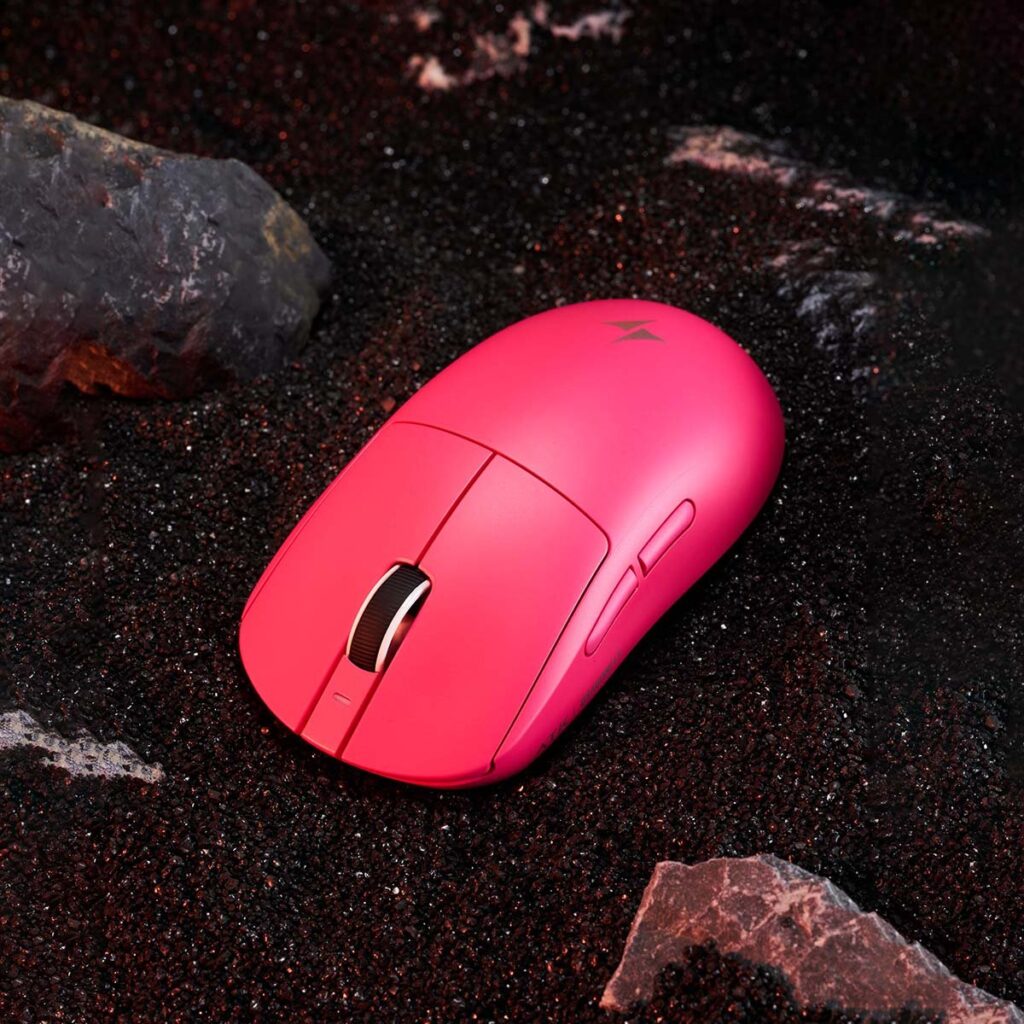
The ROG Spatha X is the wireless version of ASUS’s Spatha gaming mouse, and it is built around one idea: more buttons, more control. It is a large, right-handed mouse with a thumb cluster of programmable buttons, a high-resolution optical sensor and dual-mode connectivity — wireless over 2.4GHz radio frequency, or wired over USB-C.
The mouse comes with a magnetic charging stand, which is both a dock and a display piece: the mouse sits on the stand to charge, and the stand holds it visibly on your desk. That combination of a heavy feature set and a long battery life is what sets the Spatha X apart from lighter, simpler gaming mice.
ASUS ROG Spatha X specifications at a glance
The video lists the following key specifications for the ASUS ROG Spatha X. These are the manufacturer’s listed figures, as presented in the video, not measurements from our own testing.
- Sensor: 19,000 DPI optical sensor
- Buttons: 12 programmable buttons
- Connectivity: dual-mode — 2.4GHz RF wireless and wired USB-C
- Charging: magnetic charging stand included
- Switches: push-fit switch sockets with hot-swap support, and ROG micro switches rated for 70 million clicks
- Battery: up to 67 hours of wireless use
The 19,000 DPI optical sensor
The sensor is the heart of any gaming mouse, and the Spatha X’s is rated at 19,000 DPI. DPI, or dots per inch, sets how far the cursor moves on screen for a given movement of the mouse: a higher DPI lets you cross more of the screen with a small hand movement, and a lower DPI gives you finer control.
In practice, most players use far less than 19,000 DPI — many play between 400 and 3,200 DPI — and the headline number matters less than the sensor’s accuracy and consistency. What the high ceiling gives you is headroom: you can raise or lower the sensitivity to suit the game, and you can switch between DPI settings on the fly for different situations, such as low sensitivity for aiming and higher sensitivity for moving around a map. The sensor is an optical sensor, which is the standard for modern gaming mice and is valued for its tracking accuracy.
Twelve programmable buttons
The twelve programmable buttons are the reason to buy the Spatha X. A standard gaming mouse has five or six buttons; the Spatha X has twelve, arranged so that a cluster sits under your thumb. That is designed for games with many abilities, items and menus: in an MMO or a MOBA, you can put skills, potions, mounts and chat commands on the thumb buttons and keep your other hand on the keyboard’s movement keys.
Programmable means that the buttons can be assigned to any function you choose using ASUS’s software — a skill, a macro, a media control or a shortcut. The layout is the point as much as the count: the buttons are there so you can do more without moving your hand. If you mainly play first-person shooters, where two or three buttons are enough, the extra buttons add weight and complexity that you may not need.
Magnetic charging stand and 67-hour battery
The magnetic charging stand is one of the Spatha X’s most practical features. A wireless mouse always needs charging, and a stand keeps that simple: you place the mouse on the stand when you finish playing, it charges, and it is ready and full the next time you pick it up. The magnet holds the mouse in place on the stand, so it does not slide off.
The battery is rated for up to 67 hours of wireless use. That is several days of heavy gaming, or a week or more of lighter use, before you need to charge at all. Battery figures depend on lighting and use, and the mouse’s RGB lighting will use power if it is set bright, but the overall point stands: the Spatha X is a wireless mouse that does not need constant charging.
Dual-mode connectivity: 2.4GHz wireless and USB-C wired
The Spatha X connects in two ways: wirelessly over 2.4GHz radio frequency, or wired over USB-C. The wireless mode is the one you will use most of the time, and it is designed to feel as responsive as a wired connection. The wired mode serves two purposes: it charges the mouse while you play, and it gives you a connection with no wireless interference if you ever need one.
Having both modes means the mouse keeps working in any situation. If the battery is low, you can plug it in and keep playing; if you want a cable-free desk, you can use the wireless mode and charge it on the stand. That flexibility is one of the advantages of a premium wireless mouse over a simpler wired one.
Hot-swap switches rated for 70 million clicks
The Spatha X has push-fit switch sockets, which let you swap the mouse’s click switches without soldering. That is a feature aimed at people who like to tune a mouse’s feel: if you prefer a lighter or a heavier click, you can change the switches to match.
The switches in the mouse are ROG micro switches, rated for 70 million clicks. That rating is a durability figure: it is meant to tell you that the switches will keep clicking consistently for a very long time. For a mouse that is used for hours a day, that durability matters more than it sounds — worn switches are one of the most common reasons a mouse starts double-clicking.
Who is the ASUS ROG Spatha X for?
The Spatha X suits MMO and MOBA players best: people who need many buttons under their thumb and who play games with long lists of skills, items and commands. It also suits players who want a substantial, feature-rich mouse with a charging stand, rather than a light, minimal mouse. Its dual-mode connection and long battery life make it a good fit for a desk where you want wireless convenience without worrying about power.
It is a weaker fit if you want a light, fast mouse for competitive shooters, or if you have small hands: the Spatha X is a large mouse, and its shape and button cluster are designed for a palm grip. For a smaller or lighter mouse, another ROG model would be a better choice. And if you are building the rest of the setup, the desk matters too: our MOTPK gaming desk review covers a 47-inch L-shaped desk with LED lighting, built-in power outlets and a 40 lb monitor shelf that this mouse would sit well on: MOTPK Gaming Desk Review.
Things to keep in mind before buying
The Spatha X is a premium, feature-heavy mouse, and the two things to check before buying are size and use. It is a large mouse made for a palm grip, so if your hands are small or you use a claw grip, it may feel too big. Its twelve buttons are its main strength, but they are only worth having if you play the games that use them: for a shooter or a strategy game with few actions, a simpler mouse will do the same job with less weight.
The video is a short visual overview rather than a long hands-on test, so its feature list is the basis of this review, and the figures quoted come from the manufacturer as presented in the video. No weight, dimensions or measured click latency are given in the video, so treat the performance claims as the manufacturer’s description, and check the product listing for the exact weight and size before buying.
Verdict: is the ASUS ROG Spatha X worth it?
The ASUS ROG Spatha X is a mouse for a specific kind of player, and it serves that player well. Its strengths are clear: a 19,000 DPI optical sensor, twelve programmable buttons, a magnetic charging stand, dual-mode wireless and wired connectivity, hot-swap switches rated for 70 million clicks and up to 67 hours of wireless use. Its limits are equally clear: it is large, it is made for games with many commands, and it is more mouse than a casual player needs. If you play MMOs or MOBAs and you want a wireless mouse with a button for everything, the Spatha X is an excellent choice. If you play lighter games or you want a small, simple mouse, look elsewhere. For its target player, the Spatha X does exactly what it promises.