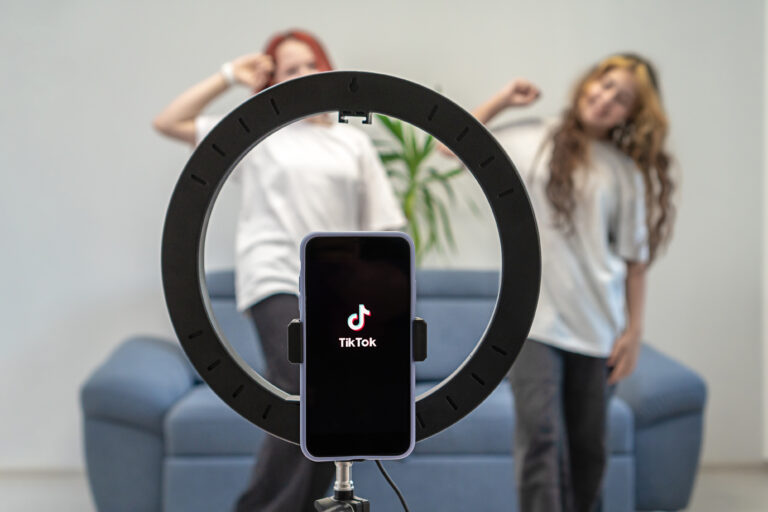
A TikTok video downloader without watermark saves a TikTok video as a clean MP4 file, with no bouncing username and no TikTok logo in the corner. That clean copy is useful for offline viewing, for studying how a video was edited, and for rewatching a clip on a big screen. It is also the most-searched way to save TikTok videos, and the tools that promise it are not all equal.
This guide covers the five main methods for downloading TikTok videos without watermark: online tools, mobile apps, browser extensions, desktop software, and screen recording. It also explains why the watermark is there in the first place, and when a clean download is the wrong choice. If you only want the fastest tool, start with our TikTok downloader no watermark guide, which tests the free tools that work right now. For the bigger picture, see our TikTok video downloader pillar guide and our TikTok downloader overview.
Why TikTok Adds a Watermark
TikTok adds a watermark to every video saved through its own download button. The watermark shows the TikTok logo and the creator’s username, and it moves around the screen so it cannot be cropped out easily. Its job is simple: it proves where the video came from, and it gives credit to the person who made it. When a video is shared to another platform, the watermark tells viewers who to follow.
A watermark-free copy is not better in every way. It gives you a cleaner file, but it also removes that credit. That is why the rule for using any method below is the same: download for personal, offline use, keep the creator’s name with the video when you share it anywhere, and never re-upload someone else’s video as your own. A tool that removes a watermark does not give you the right to claim the video.
The 5 Methods at a Glance
| Method | How it works | Quality | Best for |
|---|---|---|---|
| Online tool | Paste the video link on a website such as SnapTik or SSSTik | HD, usually the original file | Quick downloads on phone or PC |
| Mobile app | Share the video to a downloader app | HD, if the app is genuine | Downloading often on Android |
| Browser extension | Download button added to TikTok in Chrome | HD, depends on the extension | Downloading often on a computer |
| Desktop software | Paste links into a program such as 4K Tokkit | Up to 4K where available | Bulk downloads and archives |
| Screen recording | Record the video as it plays, then trim it | Good, but never better than the screen | Videos that no downloader can fetch |
Method 1: Use an Online TikTok Video Downloader Without Watermark
Online tools are the easiest method, and they are the one most people should start with. You do not install anything, you do not create an account, and you can switch to a different tool in seconds if one stops working. The best-known names in this space are SnapTik, SSSTik, and TikDown, and they all work the same way.
- Open TikTok and find the video you want to save.
- Tap Share, then Copy Link.
- Open an online downloader such as SnapTik or SSSTik in your browser.
- Paste the link into the box and tap Download.
- Choose the download without watermark, usually labelled HD or No Watermark, and save the MP4 file.
Check the file before you keep it. Play it once to confirm it has sound, that the picture is sharp, and that no watermark appears. If the site offers a version with watermark and one without, pick the one without. If a site shows fake download buttons, pop-ups, or asks you to install an app to continue, leave it and try a different tool. Our no-watermark tools guide and our online downloader guide walk through SnapTik, SSSTik, and TikDown in detail, with screenshots of each step.
Method 2: Use a Mobile Downloader App
On Android, downloader apps can save TikTok videos without watermark by sharing the video link to the app instead of a website. The workflow is similar: copy the link in TikTok, open the app, paste the link, and choose the no-watermark download. Some apps also let you download the audio as an MP3, which is handy if you only need the sound. See our TikTok to MP3 guide for that option.
Apps are the riskiest method in this list. The Play Store and other app stores contain many downloader apps, and some of them show constant ads, ask for contacts or storage access they do not need, or stop working after a few weeks. Only install an app with a clear developer, recent updates, and real reviews that mention no-watermark downloads specifically. On iPhone, the app route is much weaker, and an online tool in Safari is usually the better choice.
Method 3: Use a Browser Extension
A browser extension adds a download button to TikTok in Chrome, so you can save a video while you are watching it. Some extensions offer a no-watermark option in the download menu. This method suits people who download often on the same computer, because there is nothing to copy and paste.
The trade-off is trust. An extension runs in your browser and can see the pages you visit, so you need to check its permissions, its developer, and its recent reviews before you install it. Never install an extension from a link in a video description or a random download button on a website. Read our TikTok downloader Chrome extension guide before you install one, and remove any extension that starts showing ads or changing your search settings.
Method 4: Use Desktop Software for HD and 4K Downloads
Desktop programs such as 4K Tokkit download TikTok videos in bulk, save whole profiles or hashtag collections, and can fetch the highest-quality version available, sometimes labelled 4K. That makes this method the best choice when you are building an archive or saving a creator’s full back catalogue for offline study.
It is also the most expensive and the most work. Most desktop downloaders are paid, or only offer a free trial, and they need to be kept up to date as TikTok changes its site. A free online tool is faster for a single video. Use desktop software only if you download in bulk and the cost is worth it to you. For a single video, or a handful of videos, Method 1 is the better answer.
Method 5: Screen Record the Video
Screen recording is the fallback when nothing else works. Start the built-in screen recorder on your phone or computer, play the TikTok video in full screen, then trim the start and end of the recording. The result is watermark-free by definition, because you control what is on screen, although the TikTok watermark may still be visible inside the video itself while it plays.
The quality will never beat the original file, and a recording takes real time: you have to play the whole video, and you need a stable connection so the video does not buffer. Still, it works on private accounts you follow, on videos that downloaders cannot fetch, and on any device with a recorder built in. It is also the method that needs the least trust, because no third-party site or app ever touches your link.
Which Method Should You Pick?
For one video, use an online tool. It is free, fast, and needs no install, and it gives you the original HD file without watermark. For a video on your phone, use the same online tool in your mobile browser. For daily downloads on a computer, a trusted browser extension saves the most time. For bulk downloads or 4K, desktop software is the only method built for the job. And when a tool fails, screen recording will get you a copy.
Whatever method you pick, compare it against the tools we cover in our TikTok downloader no watermark guide. That post is the tool-by-tool companion to this one: it focuses on which free tools still work, while this post covers the full range of methods, including apps, extensions, desktop software, and recording, so you can choose the method first and the tool second. Our best TikTok downloaders roundup also compares the main options side by side.
Is It Legal to Download TikTok Videos Without Watermark?
Downloading a public TikTok video to watch offline for yourself is generally accepted, and that is how most people use these tools. What is not accepted is re-uploading the video to another account, selling it, or using it in a way that takes credit or money from the creator. The watermark is TikTok’s way of keeping that credit attached, so a watermark-free file carries a responsibility: credit the creator whenever you share it, and follow the rules of the platform where you share it.
Some videos cannot be downloaded at all, and no tool can change that. Private videos, videos where the creator turned off downloads, and videos shared under a licence that forbids copying are off limits. Tools that promise to download private videos, or that ask you to log in with your TikTok password, are not worth the risk. A downloader does not need your login to save a public video.
Frequently Asked Questions
Does TikTok allow downloading videos without watermark?
TikTok’s own download button always adds a watermark. A watermark-free copy comes from a third-party tool that fetches the original video file, not from TikTok itself. That is why these tools sometimes stop working after a TikTok update, and why you should have two tools in mind instead of one.
Will a TikTok video downloader without watermark reduce quality?
No, not if it works properly. A good tool downloads the original file, so the quality matches the video you watched, usually in HD. If your file looks blurry, has no sound, or is much smaller than expected, try a different tool or pick the HD or no-watermark option instead of the standard one.
Why does my download still have a watermark?
You probably saved the wrong version. Many tools offer two downloads: one with watermark and one without. Pick the one labelled No Watermark or HD. If your tool only offers one version and it has a watermark, switch to SnapTik, SSSTik, or another tool from our no-watermark guide, and try the same link again.
Conclusion
A TikTok video downloader without watermark is not one tool but five methods, and the best one depends on how you download. Start with an online tool for single videos, use an app or an extension when you download every day, turn to desktop software for bulk or 4K, and keep screen recording as your fallback. Whichever method you choose, download only for personal use, credit the creator, and check the file you save. For the tool-by-tool list, read our TikTok downloader no watermark guide, and for the full range of download methods, start with our TikTok video downloader pillar guide.