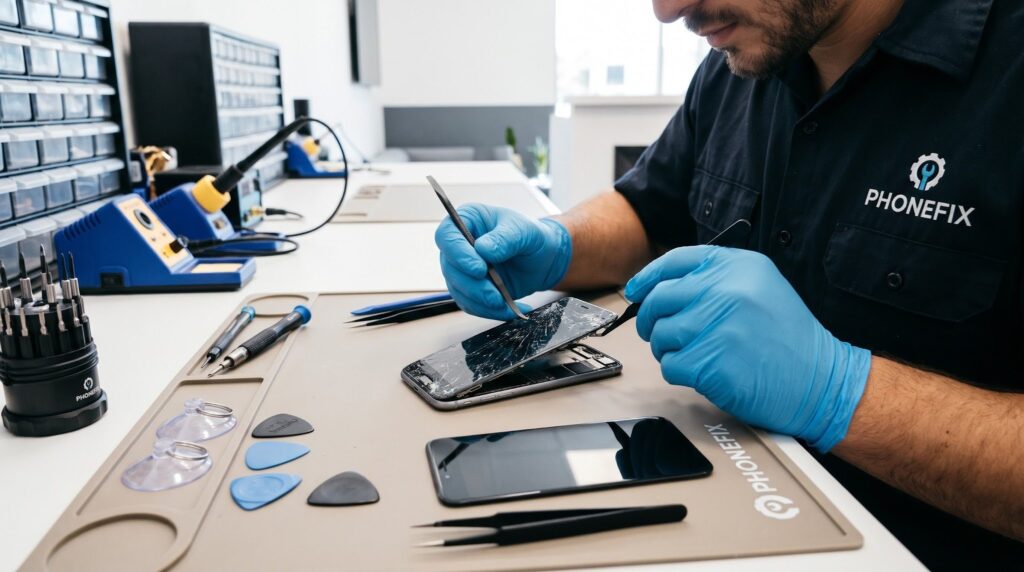
Smartphones have become an essential part of everyday life, helping us stay connected, work efficiently, and enjoy entertainment on the go. However, frequent use can lead to common problems, such as cracked screens, poor battery performance, and unexpected shutdowns. While replacing a phone may seem like the easiest solution, repairing your existing device can be a more affordable and practical option.
At PHONEFIX, we understand the importance of keeping your smartphone in good working condition. With the right tools, knowledge, and precautions, you can learn about common repair procedures and make informed decisions about maintaining your device.
In this guide, we’ll explore essential phone repair tips, the tools you may need, and what to know about Phone Screen Replacement and iPhone Battery Replacement.
1. Understanding Common Smartphone Problems
Before attempting any repair, it is important to identify the issue correctly. A cracked display, an unresponsive touchscreen, or a battery that drains quickly can affect your phone’s performance and usability.
Some common smartphone problems include:
- Cracked or shattered screens.
- Touchscreens that respond slowly or stop working.
- Batteries that drain faster than usual.
- Phones that overheat during charging.
- Charging ports that work intermittently.
Identifying the cause of the problem can help you determine whether a simple troubleshooting step or professional repair is necessary. PHONEFIX recommends understanding the issue before deciding on the most suitable repair solution.
2. Phone Screen Replacement: What You Should Know
A damaged display is one of the most common reasons people seek smartphone repairs. Accidental drops, pressure, and impacts can crack the glass or damage the display underneath.
Phone Screen Replacement involves removing the damaged screen and installing a compatible replacement. Depending on the phone model, this process may require specialized tools and careful handling of delicate internal components.
Before starting a screen repair, consider these essential tips:
- Back up your data: Protect your photos, contacts, and important files before beginning any repair.
- Use the correct tools: Precision screwdrivers, plastic opening tools, tweezers, and suitable adhesive may be required.
- Check compatibility: Always choose a replacement screen designed for your exact phone model.
- Handle components carefully: Delicate cables and connectors can be damaged if excessive force is applied.
- Test before reassembly: If the repair procedure allows it, check the display and touchscreen functions before sealing the device.
DIY repairs can be rewarding, but modern smartphones often have tightly fitted components, strong adhesives, and water-resistant seals. If you lack experience, professional assistance from a qualified technician may help prevent additional damage.
3. iPhone Battery Replacement: Signs Your Battery Needs Attention
Over time, rechargeable batteries naturally lose capacity. You may notice that your iPhone needs charging more frequently, shuts down unexpectedly, or struggles to maintain performance.
iPhone Battery Replacement can help restore everyday usability when the existing battery has significantly degraded. However, it is important to confirm that the battery is responsible for the problem before arranging a replacement.
Look for these common warning signs:
- Battery percentage drops unusually quickly.
- The phone shuts down unexpectedly.
- Battery health indicates significant degradation.
- The device struggles to last through a normal day.
- Performance becomes inconsistent when the battery is low.
Before replacing the battery, check your iPhone’s battery settings and review which apps consume the most power. Updating iOS, adjusting screen brightness, and limiting unnecessary background activity may also improve battery life.
If the battery is swollen, leaking, or causing the screen to lift, stop using and charging the device. Do not attempt to puncture or compress the battery. Seek assistance from a qualified repair professional.
PHONEFIX encourages users to address battery problems carefully and seek professional advice when a battery replacement may be necessary.
4. Essential Tools for DIY Phone Repairs
Having suitable tools makes smartphone repairs safer and more manageable. Depending on the device and repair, you may need:
- Precision screwdriver set.
- Plastic opening picks and spudgers.
- Tweezers for handling small components.
- Suction handle for lifting display assemblies.
- ESD-safe tools and an appropriate work surface.
- Model-specific replacement parts and adhesives.
Always follow repair instructions designed for your exact device. Disconnect the battery when the manufacturer’s repair procedure requires it, and avoid working near exposed battery cells with sharp or metal tools.
Using the right equipment and following appropriate safety procedures can help reduce the risk of accidental damage during phone repairs.
5. DIY Repair or Professional Service?
DIY repairs can save money for people with the necessary skills, patience, and tools. However, they also involve risks, including damaged connectors, reduced water resistance, and potential battery hazards.
Professional repair services may be a better choice for expensive devices, complicated screen assemblies, and battery-related problems. When choosing a technician, ask about part quality, repair warranties, data privacy, and whether important features will continue working after the repair.
PHONEFIX recommends considering the following factors before choosing a repair service:
- Part quality: Check whether replacement parts are suitable for your device.
- Repair warranty: Ask whether the service includes a warranty on parts or workmanship.
- Data privacy: Confirm how your personal information will be protected during the repair.
- Device functionality: Ask whether important features will continue working after the repair.
- Repair cost: Compare the total repair cost with the price of replacing your phone.
Choosing the right repair option depends on your device’s condition, the complexity of the problem, and your budget.
Conclusion
Taking care of your smartphone can extend its useful life and reduce unnecessary replacement costs. Whether you need Phone Screen Replacement after an accidental drop or iPhone Battery Replacement because your battery no longer lasts as long as it should, understanding your options is the first step toward making the right choice.
At PHONEFIX, we believe that understanding common smartphone problems can help users make more informed repair decisions. With proper tools, careful research, and appropriate safety precautions, some repairs may be manageable at home. For complex repairs or damaged batteries, however, professional assistance is often the safer option.
By addressing problems early and maintaining your device properly, you can keep your smartphone working reliably for longer.