

Waking up late because your iPhone alarm not going off can be frustrating. Many people rely on their iPhones to wake them up every morning. But sometimes, the alarm doesn’t ring when it should. Don’t panic — this problem is common, and there are several ways to fix it. In this guide, we’ll cover everything you need to know to troubleshoot and prevent alarm issues on your iPhone.
Why Your iPhone Alarm May Not Go Off
Before diving into solutions, it’s helpful to understand why your iPhone alarm not going off. There are several possible causes:
- Software glitches: Temporary bugs can interfere with alarms.
- Settings conflicts: Focus mode, Sleep Focus, or Attention Aware Features may mute alarms.
- Hardware issues: Problems with your iPhone speaker can prevent alarms from ringing.
- Third-party apps: Some apps may override or interfere with your alarm.
- Scheduling conflicts: Multiple alarms or Sleep Focus can sometimes override your manually set alarm.
Understanding the root cause makes it easier to fix your alarm effectively.
1. Check Your Alarm Settings
The first step is to verify your alarm configuration. Many alarms fail because of simple mistakes.
What to do:
- Open the Clock app on your iPhone.
- Tap the Alarm tab.
- Double-check the time, AM/PM settings, and recurrence.
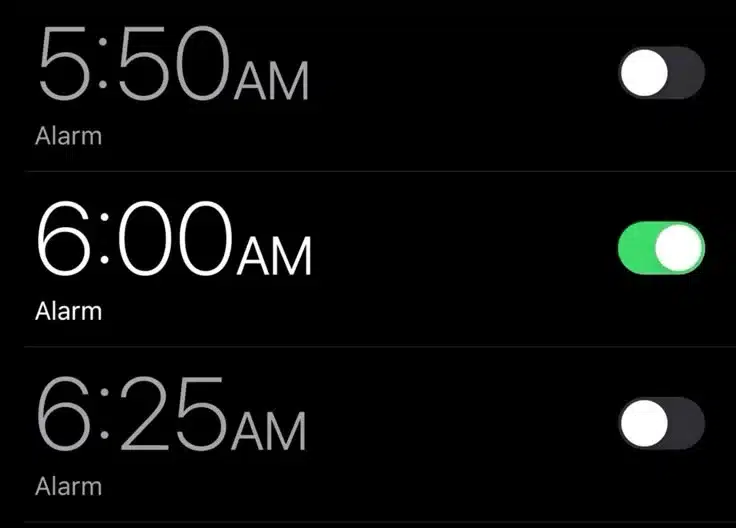
- Make sure the alarm is enabled (the toggle should be green).
Sometimes, your alarm looks set but isn’t. Ensuring the correct time and recurrence can fix the issue immediately.
2. Check Sound & Haptics Settings
If your alarm is set correctly but you can’t hear it, the problem might be the volume or sound settings.
Steps to check:
- Go to Settings → Sounds & Haptics.
- Adjust the Ringer and Alerts slider to a high volume.
- Disable Change with Buttons to prevent accidental volume changes.
Also, check that the alarm tone is not set to “None.” Selecting a loud, noticeable ringtone can help you wake up reliably.
3. Verify Focus Mode and Sleep Settings
Your iPhone has Focus modes like Do Not Disturb or Sleep Mode that can mute alarms if not configured correctly.
To fix:
- Go to Settings → Focus → Do Not Disturb / Sleep Mode.
- Enable Allow Alarms When Focus is On.
- Check your scheduled Focus times to ensure they don’t overlap with your alarm.
If Sleep Focus automatically adds wake alarms, it might conflict with your manually set alarm. Resetting or adjusting your Sleep schedule can solve this.
4. Disconnect Bluetooth and External Devices
Sometimes, your alarm is ringing — but through a connected device like AirPods or a Bluetooth speaker — so you don’t hear it.
How to fix:
- Open Settings → Bluetooth.
- Disconnect all connected devices.
- Turn off Bluetooth entirely and test your alarm.
Ensure your alarm plays through your iPhone speaker for maximum reliability.
5. Check Apple Watch and Other Device Interference
If you use an Apple Watch, it can interfere with alarms if settings like Mute or Theater Mode are enabled.
Steps to fix:
- Unlock your Apple Watch and enter the Settings.
- Disable Mute, Theater Mode, and Airplane Mode.
- Ensure your alarms are synced with your iPhone.
Sometimes, the iPhone alarm may not ring because it’s being redirected to your Apple Watch.
6. Restart Your iPhone
A simple restart can solve temporary software glitches causing your iPhone alarm not going off.
How to restart:
- Press and hold the side button and volume button until you see the slider.
- Slide to power off.
- Wait 30 seconds, then turn your iPhone back on.
Restarting clears temporary bugs and often restores proper alarm function.
7. Update iOS and Apps
iOS updates frequently fix bugs related to alarms. An outdated system may prevent your alarm from ringing correctly.
Steps:
- Go to Settings → General → Software Update.
- Install the latest iOS version.
- Update your Clock app and any pending apps from the App Store.
Keeping your system up to date ensures your alarms work reliably.
8. Recreate or Reset Your Alarms
If your alarms are corrupted, it may be necessary to recreate them.
How to do it:
- Open the Clock app → Alarm tab.
- Swipe left on each alarm and tap Delete.
- Tap + to create a new alarm, set the correct time, tone, and recurrence.
If the issue persists, consider Reset All Settings under Settings → General → Transfer or Reset iPhone. This won’t delete your data but will reset all system settings, which often fixes alarm issues.
9. Use a Third-Party Alarm App
Sometimes, even after troubleshooting, your iPhone alarm may remain unreliable. Third-party apps can offer more dependable options.
Recommended apps:
- Alarmy: Multiple wake-up challenges to ensure you get out of bed.
- Sleep Cycle: Monitors sleep patterns and wakes you at the optimal time.
- CARROT Alarm: Fun but effective alarm app with custom challenges.
These apps are designed to bypass software issues and ensure you never oversleep.
10. Preventive Tips for Reliable Alarms
Even if your alarm works now, following these tips can prevent future issues:
- Set multiple alarms spaced a few minutes apart.
- Use a combination of sound and vibration.
- Place your iPhone on a stable surface near your bed.
- Avoid Beta iOS versions on your primary device.
- Regularly check Sleep Focus and Focus mode settings.
By taking preventive steps, you reduce the risk of your iPhone alarm not going off unexpectedly.
When to Contact Apple Support
If none of these steps work, it’s time to contact Apple Support. Persistent alarm issues may indicate:
- Hardware problems with speakers.
- Deep system glitches not fixed by updates or resets.
- Warranty or repair needs.
Apple Support can guide you through advanced troubleshooting or hardware diagnostics.
Conclusion
A iPhone alarm not going off can be stressful, but most issues are fixable. Start with the basics — check settings, volume, and Focus modes. If that doesn’t help, try restarting, updating iOS, or recreating alarms. Third-party apps like Alarmy can also ensure reliability. With these steps, you can wake up on time every morning and never miss an important meeting or class again.