If you’ve ever spent a Friday afternoon hunched over spreadsheets, cross-referencing handwritten timesheets, and manually calculating hours for a dozen employees, you know the frustration firsthand. Paper-based attendance tracking and manual data entry don’t just consume valuable time—they introduce costly payroll errors, create disputes with staff, and leave managers flying blind when it comes to real-time workforce visibility. For growing businesses juggling multiple shifts, locations, or remote teams, these outdated methods simply can’t keep pace.
WiFi-enabled time clock systems offer a modern, automated alternative that eliminates guesswork from the equation entirely. By connecting attendance tracking directly to your network infrastructure, these solutions capture precise clock-in and clock-out data, sync it instantly to the cloud, and feed it into scheduling and payroll workflows without human intervention. This article explores how WiFi time clock tracking directly addresses the core business needs of accurate scheduling, real-time oversight, and operational efficiency. You’ll discover the actionable benefits this technology delivers and walk away with a clear implementation plan to bring your team’s time management into the modern era.
What is WiFi Time Clock Tracking and Why It Replaces Old Methods
WiFi time clock tracking is a digital attendance system that uses your existing wireless network to record when employees start and end their shifts, automatically syncing that data to cloud-based management software. Unlike standalone punch card machines or basic digital clocks that store data locally, a WiFi-connected system transmits every timestamp instantly to a centralized platform accessible from anywhere.
The methods it replaces—paper punch cards, handwritten sign-in sheets, and manually maintained spreadsheets—carry well-documented liabilities. Buddy punching, where one employee clocks in on behalf of an absent coworker, costs U.S. businesses an estimated 2.2% of gross payroll annually. Manual data compilation from physical timesheets eats up hours of administrative effort each pay period, and even a single transposition error during data entry can trigger payroll disputes that erode employee trust. Perhaps most critically, these legacy systems offer zero real-time visibility; managers only discover attendance problems days after they occur, when it’s too late to adjust coverage or address patterns.
A WiFi-enabled time clock employee tracking solution eliminates each of these vulnerabilities simultaneously. Data flows directly from the clock-in event to your dashboard without human handling, delivering both the accuracy and the speed that growing teams demand.
The Foundation: How Reliable WiFi Connectivity Powers Modern Tracking
Robust WiFi connectivity serves as the backbone of any modern time clock system, transforming your existing wireless network into a powerful workforce management tool. Rather than relying on a single wall-mounted device that creates bottlenecks during shift changes, a WiFi-powered solution lets employees clock in and out from any connected device within your business premises—dedicated kiosks in break rooms, shared tablets at entry points, or even their own smartphones when connected to the company network.
For employees, this means convenience and flexibility. A warehouse worker can punch in at the loading dock tablet, while an office team member uses the lobby kiosk, and a supervisor logs attendance from a desktop browser. No more lines, no more forgotten punches because the single clock was across the building. For managers, the payoff is immediate and tangible: every timestamp syncs to the cloud the instant it’s recorded. There’s no end-of-week collection of paper records, no USB drives to transfer, and no waiting until someone physically retrieves data from a standalone device. Attendance information flows continuously to a centralized dashboard, giving you a live picture of who’s on-site, who’s late, and where coverage gaps exist—all without lifting a finger to compile anything manually.
Mastering Workforce Management with Customizable Scheduling
The real power of a WiFi time clock system extends far beyond simply recording when people arrive and leave—it fundamentally transforms how you build and manage schedules for diverse teams. Modern time clock software includes robust customizable scheduling engines that adapt to the specific rhythms of your business, whether you’re running a restaurant with rotating shifts, a healthcare facility with split schedules, or a retail operation with fixed weekly patterns across multiple locations.
Within these platforms, managers can create distinct shift types tailored to each role or department. Fixed schedules lock in consistent weekly hours for salaried staff, while rotating templates automatically cycle team members through morning, afternoon, and evening coverage without manual reassignment each week. Split shifts—common in hospitality and transportation—are handled natively, with the system tracking both segments and calculating total daily hours accurately. Location-specific scheduling ensures that each branch or job site maintains proper staffing levels independently, with visibility rolled up into a single organizational view.
Overtime thresholds and break compliance rules run in the background automatically. When an employee approaches overtime, the system flags it before the hours are worked, giving managers the chance to redistribute tasks or approve the extra cost deliberately rather than discovering it on payday. Break rules tied to local labor regulations trigger reminders to employees and alerts to supervisors if breaks are missed or cut short.
Equally valuable is the self-service layer these systems provide. Employees can submit shift swap requests and time-off applications directly through the platform, which routes each request through a defined manager approval workflow. This eliminates the back-and-forth text messages and sticky notes that plague informal scheduling, reduces conflicts caused by miscommunication, and gives staff a sense of ownership over their work-life balance. For managers, the net result is measurable: businesses consistently report saving three to five hours per week on scheduling tasks alone, while simultaneously reducing last-minute coverage gaps that force expensive overtime or understaffing.
Gaining a Competitive Edge with Advanced Premium Features
Top-tier WiFi time clock systems go well beyond basic punch-in functionality, offering premium features that deliver measurable return on investment through enhanced security and streamlined workflows. Geofencing stands out as a game-changer for businesses with mobile or field-based teams. By drawing virtual boundaries around job sites, the system only permits clock-ins when an employee’s device is physically within the designated area—eliminating the possibility of someone logging hours from home or a coffee shop while claiming to be on-site.
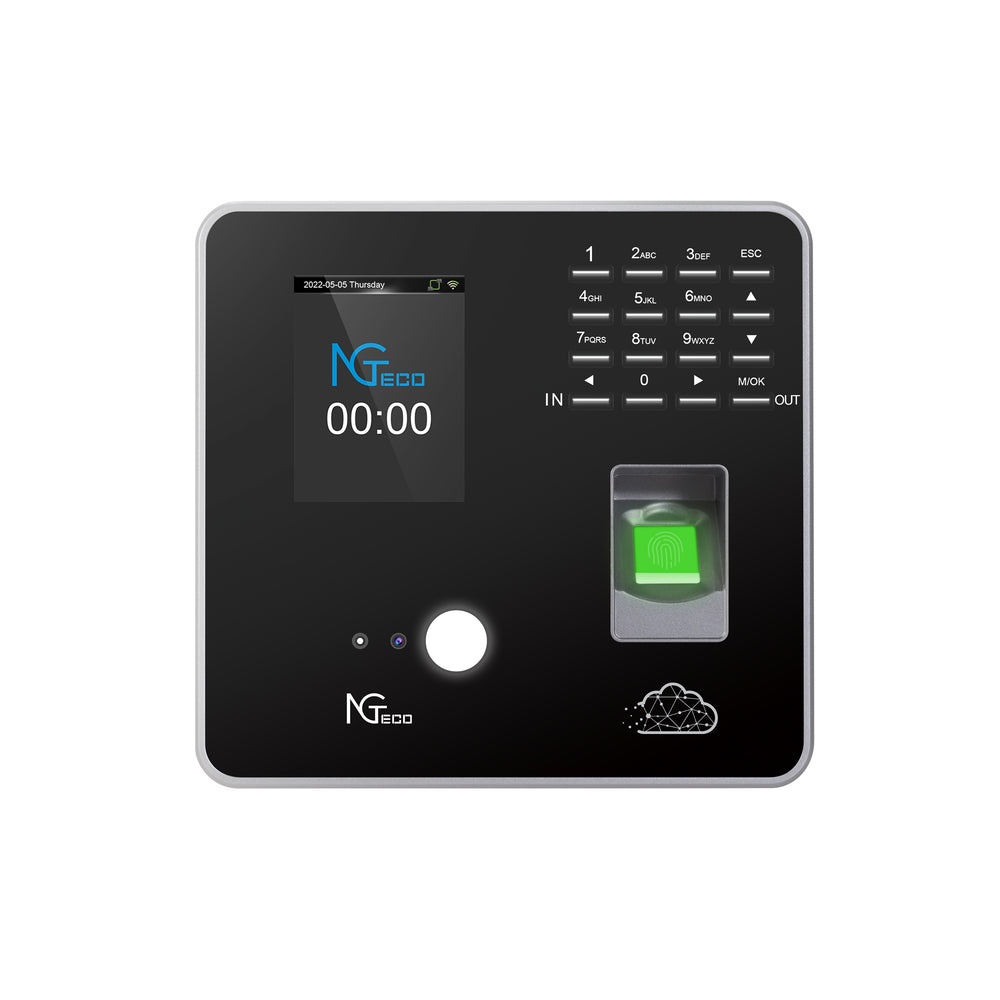
Biometric verification adds another layer of accountability. Hardware providers like NGteco have developed facial recognition and fingerprint scanning devices that tie directly into the clock-in process, making buddy punching physically impossible since no coworker can replicate another person’s biometric data. For businesses that previously lost thousands annually to time theft, this single feature often pays for the entire system within months.
Perhaps the most operationally significant premium capability is direct integration with payroll platforms like QuickBooks, Gusto, or ADP. Once connected, verified hours flow automatically into payroll calculations without any manual export, re-entry, or reconciliation. This closes the loop between attendance and compensation entirely, slashing administrative costs associated with payroll processing while virtually eliminating calculation errors that lead to compliance issues or employee grievances. Together, these advanced features transform a simple time clock into a comprehensive workforce management asset that protects revenue and reduces overhead simultaneously.
Empowering Decisions with Instant, Actionable Real-time Reports
Collecting accurate time data is only half the equation—the other half is transforming that data into insights you can act on before problems compound. WiFi time clock systems generate real-time reports automatically, delivering a continuous stream of workforce intelligence directly to your dashboard without requiring manual compilation or end-of-period number crunching.
The reporting capabilities span every dimension of labor management. Hours-worked summaries break down individual and team-level contributions across any date range, making it simple to spot imbalances where certain employees consistently carry heavier loads. Overtime analysis reports highlight trending patterns weeks before they become budget problems, allowing you to redistribute shifts proactively rather than reactively approving costly extra hours. Project cost tracking ties labor hours directly to specific jobs or clients, giving service-based businesses precise profitability visibility on every engagement. Attendance summaries flag chronic tardiness or absenteeism trends, while late and early clock-in reports surface the granular details behind those patterns.
For business owners, these live dashboards fundamentally change the decision-making timeline. Instead of discovering a labor cost overrun after payroll has already processed, you can identify the issue mid-week and course-correct immediately. Compliance becomes proactive rather than reactive—you can verify that break requirements are being met, that minors aren’t exceeding permitted hours, and that overtime rules align with state-specific regulations, all in real time. The cumulative effect is a shift from gut-feel management to data-driven workforce optimization, where every scheduling decision is backed by concrete evidence rather than assumptions about how things are going on the floor.
Your Action Plan: Implementing a WiFi Time Clock Solution
Transitioning from manual tracking to a WiFi time clock system doesn’t require a massive overhaul overnight. Follow this structured approach to ensure a smooth adoption that delivers results from the start.
Begin by assessing your current pain points honestly. Document where time is lost—whether it’s hours spent compiling timesheets, frequent payroll corrections, or chronic understaffing during specific shifts. Identify which teams, locations, or roles need the most scheduling flexibility, as this shapes your feature requirements. Next, research providers that offer the capabilities discussed throughout this article: reliable WiFi syncing, customizable shift templates, real-time reporting dashboards, and integrations with your existing payroll platform. Prioritize solutions that scale with your business rather than locking you into a rigid structure.
Once you’ve selected a provider, plan your physical rollout. Verify that your WiFi network covers all clock-in points reliably, position tablets or kiosks at high-traffic entry areas, and configure user accounts for every team member. Dedicate time to staff training—even the most intuitive system fails if employees don’t understand how to clock in, request swaps, or check their schedules. Keep initial sessions short and hands-on. Launch with a pilot group of one department or location first, gather their feedback on usability and workflow fit, then refine your configuration before expanding company-wide. From day one of full deployment, actively use the reporting tools to monitor adoption rates, flag missed punches, and validate that the time savings you expected are materializing in practice.
Transform Your Workforce Management Starting Today
The path from chaotic manual tracking to streamlined workforce management isn’t as daunting as it might seem—it’s a deliberate shift from reactive firefighting to proactive, data-driven control. WiFi time clock tracking replaces the fragile foundation of paper timesheets and error-prone spreadsheets with a system that captures every minute accurately, syncs it instantly, and puts actionable intelligence at your fingertips in real time.
Throughout this guide, you’ve seen how reliable WiFi connectivity transforms any connected device into a frictionless attendance point, how customizable scheduling adapts to the unique rhythms of rotating shifts, multiple locations, and diverse team structures, and how premium features like geofencing, biometric verification, and payroll integration close the gaps where time theft and administrative waste once thrived. Real-time reporting ties it all together, converting raw attendance data into the strategic insights that keep labor costs in check and compliance airtight.
This isn’t merely a technology upgrade—it’s a strategic investment in operational efficiency, employee trust, and sustainable growth. Start today by documenting your biggest scheduling pain points, then take the first concrete step in your action plan. The hours you reclaim and the errors you eliminate will compound every single pay period from here forward.

How Technology is Changing the Way Children Learn — and Why That Matters

What Are the Best Small Hearing Aids for First-Time Buyers?
Optimize Team Scheduling with WiFi Time Clock Tracking