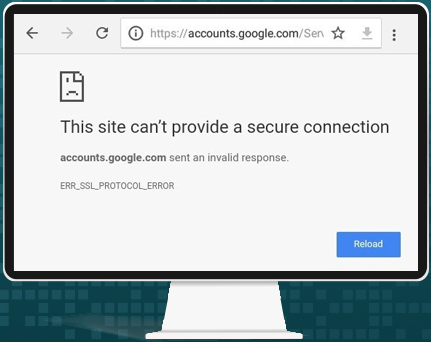
Understanding and thorough study on Err_ssl_protocol_error
The err_ssl_protocol_error is a common web browser error that occurs when a secure connection between your device and a website cannot be established. This error typically appears in Google Chrome, but it can also occur in other browsers that rely on SSL or TLS protocols. The main purpose of this warning is to prevent users from accessing websites that may be insecure or have misconfigured certificates. When this error occurs, it usually indicates problems with SSL certificates, browser security settings, or network configurations.
The error is essentially a communication failure between the browser and the web server. During an SSL handshake, the browser and server exchange information to ensure a secure connection. If this process fails due to outdated certificates, unsupported protocols, or conflicting security configurations, the err_ssl_protocol_error message is displayed.
Also, explore Archivebate: A Modern Solution for Digital Content Preservation
Common Causes of Err_ssl_protocol_error
Browser and System Configuration Issues
One of the most frequent causes of err_ssl_protocol_error is an outdated browser or misconfigured settings. SSL certificates require modern browsers with support for TLS 1.2 or TLS 1.3. Using an old browser version or disabling certain protocols can prevent the handshake process from completing successfully. Additionally, incorrect system time and date settings can make SSL certificates appear invalid, triggering the error.
Network and Firewall Restrictions
Network configurations can also contribute to this problem. Certain firewalls, antivirus programs, or VPNs may interfere with secure connections by scanning encrypted traffic or blocking SSL ports. While these measures are intended to protect users, they can unintentionally prevent proper communication, leading to SSL protocol errors.
Server-Side Problems
Sometimes, the error is caused by issues on the website’s server. If the server uses outdated SSL/TLS protocols, expired certificates, or unsupported cipher suites, browsers will refuse to establish a secure connection. This ensures that users are protected from potentially insecure websites.
How to Fix Err_ssl_protocol_error
Update Your Browser
Ensuring that your browser is updated to the latest version is crucial. Modern browsers support updated SSL/TLS protocols and security measures. After updating, clear your cache and cookies to eliminate any corrupted files that may interfere with secure connections.
Check System Date and Time
SSL certificates depend on accurate system time. Verify that your device’s date and time are correct. Adjusting these settings often resolves certificate validation issues that lead to the err_ssl_protocol_error.
Disable Conflicting Security Software Temporarily
Antivirus or firewall programs may interfere with SSL traffic. Temporarily disabling SSL scanning features or firewall settings can help identify whether they are the source of the error. Make sure to re-enable security protections after troubleshooting.
Reset Network Settings
Network issues can be resolved by resetting your internet settings or switching to a different network. This ensures that no restrictive firewall rules or proxies are blocking SSL connections.
Contact the Website Administrator
If all troubleshooting fails, the problem may be on the server side. Informing the website administrator allows them to check SSL certificates, update outdated protocols, and fix server misconfigurations.
FAQs About Err_ssl_protocol_error
1.What does err_ssl_protocol_error mean?
It means the browser could not establish a secure connection due to SSL or TLS protocol issues.
2.Can system time cause this error?
Yes, incorrect date and time settings can make SSL certificates appear invalid.
3.Does antivirus software trigger SSL errors?
Certain antivirus programs that scan encrypted traffic may interfere with SSL connections.
4.How do I fix the error quickly?
Update your browser, check system time, clear cache, and temporarily disable SSL scanning software.
5.Is err_ssl_protocol_error dangerous?
The error itself is a protective measure to prevent accessing insecure websites and is not harmful.
Conclusion
The err_ssl_protocol_error is a common browser error caused by SSL certificate problems, outdated browsers, network conflicts, or server misconfigurations. Understanding its causes and applying appropriate fixes such as updating browsers, checking system time, and adjusting security settings can resolve most issues. Being aware of these solutions ensures a secure and uninterrupted browsing experience while maintaining protection against unsafe websites.

Recognizing Pet Emergencies: When to Seek Immediate Help from a Veterinarian in Maple Valley, WA

What Are the Benefits of a Ruffled Shower Curtain for Homeowners?

What Sets a Top Marketing Video Agency Apart from the Rest