Cloud storage is often described as simple, safe, and automatic. Upload a file, close your laptop, and trust that your data will live forever in some distant, perfectly managed server farm. That promise is comforting, but it hides a more complex reality. Cloud storage is powerful, but it is not magic, and it is not immune to human error, design limitations, or misunderstandings about how it actually works.
In many ways, trusting the cloud without understanding it is like choosing restaurant chairs based solely on their appearance. They may appear sturdy and comfortable at first glance, but absolute reliability comes from what is underneath, the materials, the construction, and how they hold up under daily use. The same idea applies to cloud storage. The surface experience feels effortless, yet the true strength or weakness lies in the structure users never see.
Cloud platforms have become the main way to back up personal data, run businesses, and even run government systems during the past ten years. A huge part of modern life, from family photos to financial documents, now lives mostly in the cloud. It’s not often that data goes missing because the cloud abruptly stopped working. Most of the time, it’s because users didn’t understand what they were paying for or how their data was being used behind the scenes.
This article goes into more detail on how cloud storage systems really work and why some of the most prevalent ideas can lead to data loss that can’t be fixed.
What Cloud Storage Actually Is
At its core, cloud storage and manufacturing is not a single location or a single computer. It is a distributed system made up of many physical servers, often spread across multiple data centers. These servers store pieces of your data, replicate them, and manage access using software layers designed to balance speed, cost, and reliability.
When you upload a file to a service like Google Drive or Dropbox, the file is broken into chunks. Those chunks are stored on different machines and tracked using metadata systems that know where each piece lives. Redundancy is built in, meaning multiple copies exist to protect against hardware failure.
However, redundancy does not mean permanence. If the system is instructed to delete something, it will do so efficiently and often permanently.
The Illusion of Infinite Backups
One of the most damaging misconceptions about cloud storage is the belief that it functions like an unlimited backup system. Many users assume that once a file is in the cloud, it can always be recovered, even years later.
In reality, most cloud services are synchronization tools, not proper backups. If you delete a file locally and that deletion syncs to the cloud, the cloud version is usually deleted as well. Trash or recycle bins exist, but they are time-limited. After a set period, commonly 30 to 90 days, the data is removed entirely.
This is where users are often caught off guard. They discover the loss months later, long after the recovery window has closed.
Versioning Is Not Always What It Seems
Some platforms let users roll back to prior versions of a document by offering file versioning. This functionality is proper, but its boundaries are not always made evident.
Version history may only work with certain file types. It may be capped by time or by the number of versions stored. Some plans automatically delete previous versions to free up space. People typically assume versioning is unlimited, but they find that essential modifications from six months ago are no longer available.
Many users seldom read the service documentation attentively, which is necessary to understand these constraints.
Deletions Are Usually Permanent by Design
Cloud systems are designed for efficiency. When data is marked for deletion and passes the retention period, it is often wiped in a way that makes recovery impossible. This is not negligence; it is intentional.
Storage providers must manage enormous volumes of data. Keeping deleted files indefinitely would increase costs and introduce security risks. As a result, once a file is fully purged, even the provider itself often cannot retrieve it.
This reality becomes painfully clear in business environments, where a single mistaken folder deletion can propagate across shared drives and synced devices within seconds.
Account Access Is a Single Point of Failure
Another overlooked risk is account access. Cloud storage security is tied directly to your account credentials. If access is lost due to forgotten passwords, compromised email accounts, or two-factor authentication issues, data recovery becomes extremely difficult.
In some cases, accounts are locked automatically after suspicious activity. In others, accounts are closed due to billing disputes or violations of the terms of service. When that happens, stored data may be deleted after a grace period that users are unaware of.
The cloud protects against hardware failure, but it does not protect against account mismanagement.
The Role of Regional Data Centers
Many users assume their data is stored nearby. In reality, cloud providers distribute data across regions based on load, redundancy strategies, and legal requirements. This matters more than most people realize.
Data stored in one region may be subject to different retention policies or legal processes than data stored elsewhere. In rare cases, regional outages or compliance actions can temporarily affect access. While large providers design around these risks, they are not entirely theoretical.
Why Data Loss Stories Keep Happening and How to Be Safe
Despite massive investment in cloud infrastructure, data loss stories continue to surface. Investigations often reveal the exact underlying causes.
- Users relied on sync rather than on proper backups.
- Deletions were assumed to be reversible forever.
- Account security was treated as secondary.
- Retention policies were never reviewed or understood.
These are not technical failures. They are expectation failures.
The safest way to use cloud storage is to treat it as one layer, not the only layer. Critical data should exist in at least two independent systems, ideally using different providers or storage methods.
For businesses, this often means combining cloud storage with dedicated backup services that keep immutable copies. For individuals, it may be as simple as maintaining an external drive updated monthly.
Cloud storage excels at accessibility and collaboration. It does not automatically guarantee long-term preservation.
A More Realistic Way to Think About the Cloud
The cloud is best understood as a highly reliable tool, not an infallible one. It protects against many traditional risks, such as hard drive crashes or device theft. It does not protect against every form of loss, especially those caused by user actions.
Once users understand how cloud systems actually behave, their expectations change. They stop assuming the cloud will save them from every mistake and start using it more intentionally.
That shift in mindset is often the difference between confidence and catastrophe when something goes wrong.

Digital Marketing Trends Toronto Businesses Must Follow
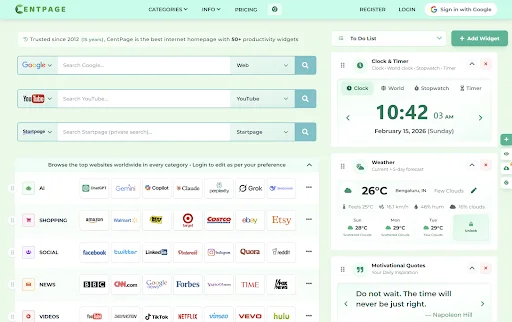
Step by Step Guide to Designing a Personalized Internet Homepage

Tech Stack for Liquor Delivery App Development: Real-Time Inventory, Payments, and Route Optimization