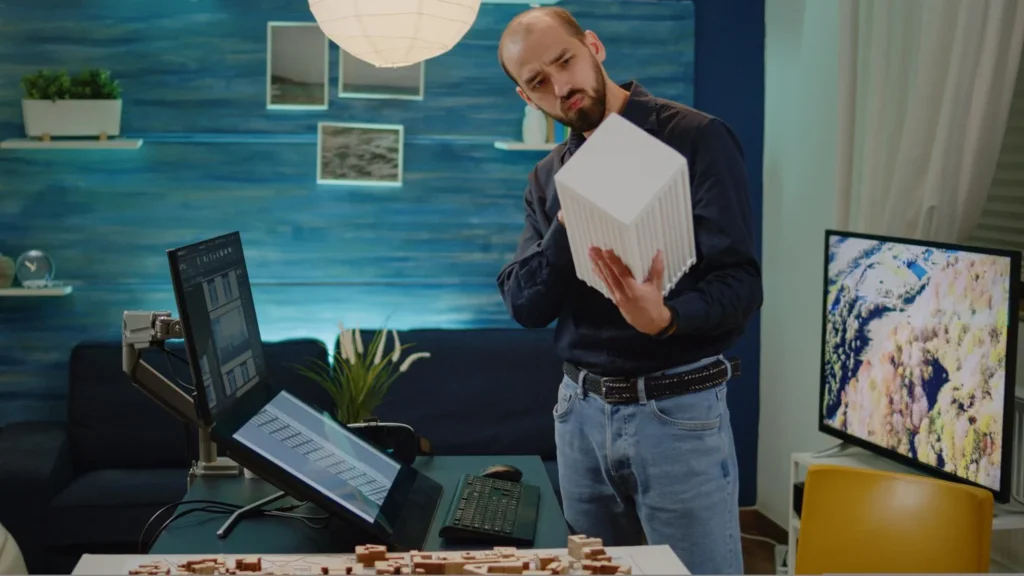
A teammate wraps their part of a task, but the next step doesn’t start for hours. Another pushes through a heavy load without saying a thing. A third circles the same draft because the direction wasn’t clear the first time.
This article explores where the signals that guide performance fade in remote setups and how to bring them back into view. Employee monitoring solutions help you read those cues in real time, giving you the context needed to guide the day instead of reacting at the end of it.
Where Performance Signals Break Down in Remote Work
Remote setups hide movement in ways that make the day look calm, even when strain grows underneath.
These friction points build slowly and only appear once deadlines or quality start to wobble:
- Stalled Handoffs: Work reaches the next step later than planned, and no one sees where the momentum paused.
- Uneven Load Build-Up: One teammate absorbs more work while others appear steady, creating hidden strain.
- Repeating Task Loops: A task circles back for more fixes without a clear reason.
- Busy Without Movement: Hours fill up, yet core work advances slower than expected.
How To Restore The Signals That Guide Remote Work
Remote and hybrid setups blur the small cues that show where work is moving smoothly and where it’s starting to drag. You need those cues back in view, not at the end of the week but while the work is unfolding.
Here’s how to bring those signals back into view:
1. Make a Clear Handoff Rhythm
A handoff rhythm is the pattern that shows how work moves from one step to the next and keeps projects in steady motion. It gives you a readable signal of continuity instead of isolated completions. When you watch that rhythm, you start to see how momentum actually holds together.
When you can’t read handoff timing, delays hide inside normal work until they compress the entire schedule. Reviews get rushed, teammates scramble, and the final stretch becomes a scramble instead of a steady close.
Set clear expectations for how long each step should take and compare actual movement against that rhythm. If a handoff lags, check in early to clarify ownership and reset momentum. Keep the chain visible so the next step is always obvious.
How can free employee monitoring software reveal stalled handoffs?
Free employee monitoring software highlights gaps between one step ending and the next one beginning. A teammate could finish a task and wait longer than expected, which might prompt you to check in and keep the flow moving.
2. Balance Workload Patterns
A workload pattern is a view of effort over time that shows how much sustained energy each teammate is actually carrying. It turns isolated, busy moments into a clearer picture of capacity. You see the remote and hybrid team’s real distribution of effort instead of assumptions about who has room.
Ignoring load patterns leaves strain to build quietly until output drops without warning. The imbalance shows up as slower responses, missed details, or a teammate who suddenly can’t keep pace with what once felt manageable.
According to McKinsey Health Institute’s 2022 survey, one in four employees worldwide shows burnout symptoms.
Review patterns of sustained effort across the week and rebalance tasks when one teammate carries more than the rest of the team. Call out heavier stretches before they harden into a habit. Make load review part of your regular cadence.
How can a productivity monitoring tool surface uneven workloads?
A productivity monitoring tool shows steady activity patterns, so heavier stretches stand out. One teammate could run long, packed days across the week, which might lead you to move tasks around and even out the load.
3. Track Task Lifecycles
A task lifecycle is the full path a piece of work travels as it evolves from draft to completion and reveals how cleanly it moves. It shows whether progress is building or circling back. You gain a stable view of the task flow that isn’t distorted by back-and-forth revisions.
Without seeing how often a task circles back, you only notice the drift once deadlines tighten. The team spends more time patching unclear work, confidence drops, and small misunderstandings turn into longer delays.
Look for work that repeatedly revisits the same tools or files. Patterns reveal unclear expectations or missing checkpoints that invite rework. Reset direction when you see the loop forming, not after the third or fourth pass.
How can team monitoring software identify repeating task loops?
Team monitoring software flags tasks that reopen or return to the same stage often. A teammate could revisit the same file several times, which might signal it is time to clarify expectations so the work closes cleanly.
4. Clarify Outcome Progress
Clarifying outcome progress means looking at work through the results it delivers rather than the amount of activity in the day. It shows which efforts shift a project toward completion. You start to see where time turns into real movement and where it stalls.
If you treat all activity as progress, real movement disappears under noise. Projects slow even as calendars stay full, and you only discover the gap when key deliverables fall behind with no clear reason.
Match hours to the tools and actions that move core deliverables, then redirect effort toward those activities when drift shows up. Ask for short progress snapshots tied to outcomes, not tasks completed. Keep attention anchored to what advances the work.
How can a workforce intelligence platform clarify real progress?
Insightful’s workforce intelligence platform separates time spent in outcome-driving tools from everything else. A teammate could stay active in low-impact apps all day, which might prompt you to redirect focus to work that moves the project forward.
5. Strengthen Remote Signals with Smart Tools
A monitoring tool gives you a clear read on how work unfolds in real time, removing the guesswork that remote and hybrid setups tend to create. With steadier visibility, adjustments land earlier, and daily decisions feel lighter.
Here is how it brings clarity back into the work:
- Handoff Tracking Signals: Show where work pauses between steps to catch early stalls.
- Workload Balance Patterns: Highlight steady activity levels across the week to reveal uneven stretches of effort.
- Loop Detection Insights: Track tasks that reopen or return to the same stage to expose repeating cycles.
- Outcome-Focused Time Views: Separate hours spent in delivery-related tools from low-impact activity to clarify real progress.
Final Word
When these practices take hold, remote and hybrid work feels steadier because movement, effort, and meaningful progress are easier to read. A monitoring tool keeps that clarity in reach by giving you a live view of how the day unfolds. The result is smoother decisions, fewer surprises, and a team that stays on track without constant push.

How Do White Glasses Symbolize a Sustainable Lifestyle?
From Basic to Advanced: The Functional Trainer Home Gym Solution

Comprehensive Guide to Tagapli: Features, Benefits, and Usage