Most businesses treat CRM and ERP as separate systems. One sits with the sales team. The other lives in operations. That split feels logical — until a deal closes.
The moment a sale is won, the gap between those two worlds becomes visible. Orders get duplicated. Inventory doesn’t reflect real availability. Customers receive confirmation emails that contradict what a sales rep promised them. This isn’t a people problem. It’s a systems problem.
The Handoff Problem No One Talks About
Think about what happens after a sales rep closes a deal. They update the CRM. Stage changed, revenue logged, follow-up task set. Done. Except now someone in operations needs to actually deliver on that promise.
Unless data flows automatically, they start from scratch:
-
Re-entering customer details that already exist in the CRM
-
Cross-checking stock availability manually
-
Creating a new order record with no link to the original deal
In companies running disconnected systems, this translation layer is where errors live. Pricing discrepancies. Wrong shipping addresses. Incorrect quantities. Each small mistake erodes the customer experience and costs time nobody has.
CRM and ERP are not bad tools. The problem is that most implementations stop before they connect them properly.
What Each System Actually Does
Understanding the gap starts with understanding what each system handles.
CRM tracks the customer relationship. From the first contact onward, it tracks every lead through talks, offers, and steps toward closing. Marketing teams watch behavior while sales folks see what matters to buyers at each point along their path. Pipeline management, revenue forecasting, campaign performance — that’s CRM territory.
ERP runs the back office. Inventory, procurement, production, finance, logistics. Where CRM manages promises, ERP keeps them.
Most businesses use both. Few connect them properly. Sales operates in one world, operations in another, and customers feel the gap.
What Integration Actually Looks Like
When CRM and ERP work together, the process becomes seamless:
-
A closed deal in the CRM automatically creates an order in the ERP
-
Customer details carry over without manual re-entry
-
Sales reps check live stock levels before committing to timelines
-
Invoices generate from actual delivery data, not sales estimates
Consider a mid-size distributor managing dozens of accounts. Before integration, the sales team quoted lead times based on outdated spreadsheets. After connecting CRM and ERP, reps saw live inventory during calls. Order creation happened automatically after a deal closed. Fulfillment errors dropped. The back-and-forth between sales and warehouse staff reduced significantly.
This kind of operational clarity doesn’t require an enterprise-level IT budget. It scales down. What matters is whether the integration fits how the business actually works — not a generic template forced into a complex environment.
Why Off-the-Shelf Often Falls Short
Packaged integrations between popular CRM and ERP platforms exist. Some work well for standard business models. Yet operations within manufacturing, distribution, or labor-intensive services frequently involve processes incompatible with standard integration tools.
When integration is built around actual business logic, things work differently:
-
Approval workflows match internal sign-off processes
-
Pricing tiers reflect customer-specific agreements
-
Territory rules carry over from CRM into order management
-
Delivery SLAs stay visible across both systems
A custom ERP software development company with CRM expertise can build this kind of fit. Generic tools rarely get there. Designing CRM-ERP integration isn’t just a technical task. It requires understanding how deals become deliveries in a specific industry, and where the failure points tend to appear.
This is the space Arobit works in — building connected systems that reflect real operational logic, not just standard configurations.
The Data Flow That Matters
For most businesses, the critical path runs like this:
Lead captured → Qualified → Proposal sent → Deal closed → Order created → Inventory reserved → Shipped → Invoiced → Payment reconciled
Every step involves data. Every handoff is a potential failure point if systems don’t communicate.
Good integration makes that flow invisible to the people doing the work:
-
Sales doesn’t need to notify operations
-
Finance doesn’t need to chase sales for final contract terms
-
Operations doesn’t need to re-verify customer addresses
The system carries context forward automatically. That kind of automation saves time. It also gives leadership accurate, real-time visibility into business performance — revenue in the pipeline, orders in fulfillment, inventory position, cash flow — all from connected systems instead of weekend reconciliation spreadsheets.
Looking Ahead
As businesses grow, the cost of disconnected systems grows with them. More customers, more transactions, more complexity. More opportunities for things to slip through the cracks.
Companies investing in properly integrated CRM and ERP now are building a foundation that scales. AI-assisted forecasting, automated reordering, predictive delivery scheduling — these capabilities already run on top of well-integrated platforms. None of that is possible if the base data architecture stays fragmented.
Success often belongs to companies shifting perspective – viewing CRM alongside ERP not as isolated systems, but as connected functions shaping one workflow. When separation fades, operations gain alignment through shared data patterns.
Closing Thought
The shift from lead to delivery is where businesses earn customer trust or lose it. Connecting these two parts of the operation isn’t a luxury. It’s what separates companies that scale cleanly from those that grow into operational chaos.
Arobit has worked with businesses across this integration journey — from teams starting their first CRM software development project to those consolidating existing platforms into one connected system. The right integration isn’t about adding more software. It’s about making what you already have work together.
Frequently Asked Questions
-
Can a small business benefit from CRM-ERP integration, or is it only for large enterprises?
For smaller companies, benefits tend to appear most clearly. If staff numbers are low, passing work from sales to operations by hand takes up too much time. Linking systems removes this burden at an early stage, stopping inefficiency taking root. Success depends on choosing a method that fits today’s needs without adding unnecessary layers – be it software that adapts or code built from scratch.
-
How long does a CRM-ERP integration project typically take?
It depends on the systems involved and the complexity of the business logic. A straightforward integration between two modern cloud platforms can take six to ten weeks. A more complex project involving custom workflows, legacy ERP systems, or multi-entity structures can run several months. Working with a custom ERP software development company that also understands CRM typically shortens the timeline. They come in with pre-built patterns for common integration scenarios. A thorough scoping conversation upfront prevents most mid-project surprises.
-
What’s the biggest risk when integrating CRM and ERP systems?
Poor data quality surfaces first. With data exchange between systems, hidden discrepancies emerge sharply. Where once silence reigned, errors now surface without delay. Duplicates appear – names repeated across files with slight variations. Product identifiers fail to align despite shared origins. Prices linger in old states while reality shifts elsewhere. A data audit before the technical work begins saves significant time. The second risk is leaving out the people who use the systems daily. Integration built without input from sales and operations teams tends to create workflows that look clean on paper but break in daily use.
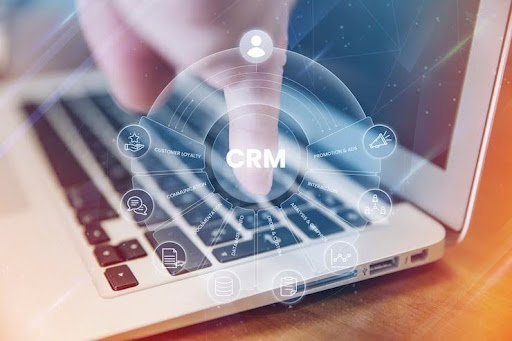
Lead to Delivery: How CRM and ERP Systems Work Together
How SEO is Evolving in 2026 (And How to Stay Ahead)

Can Wireless Mechanical Keyboards Enhance Casual Gaming and Typing?